NeoDEGAS v 1.0.5 (PC / Windows)
A downloadable tool for Windows
NeoDegas is FREE but you can support me by donate, thanks !
NeoDegas est gratuit mais vous pouvez me soutenir en faisant un don, merci !
ENGLISH
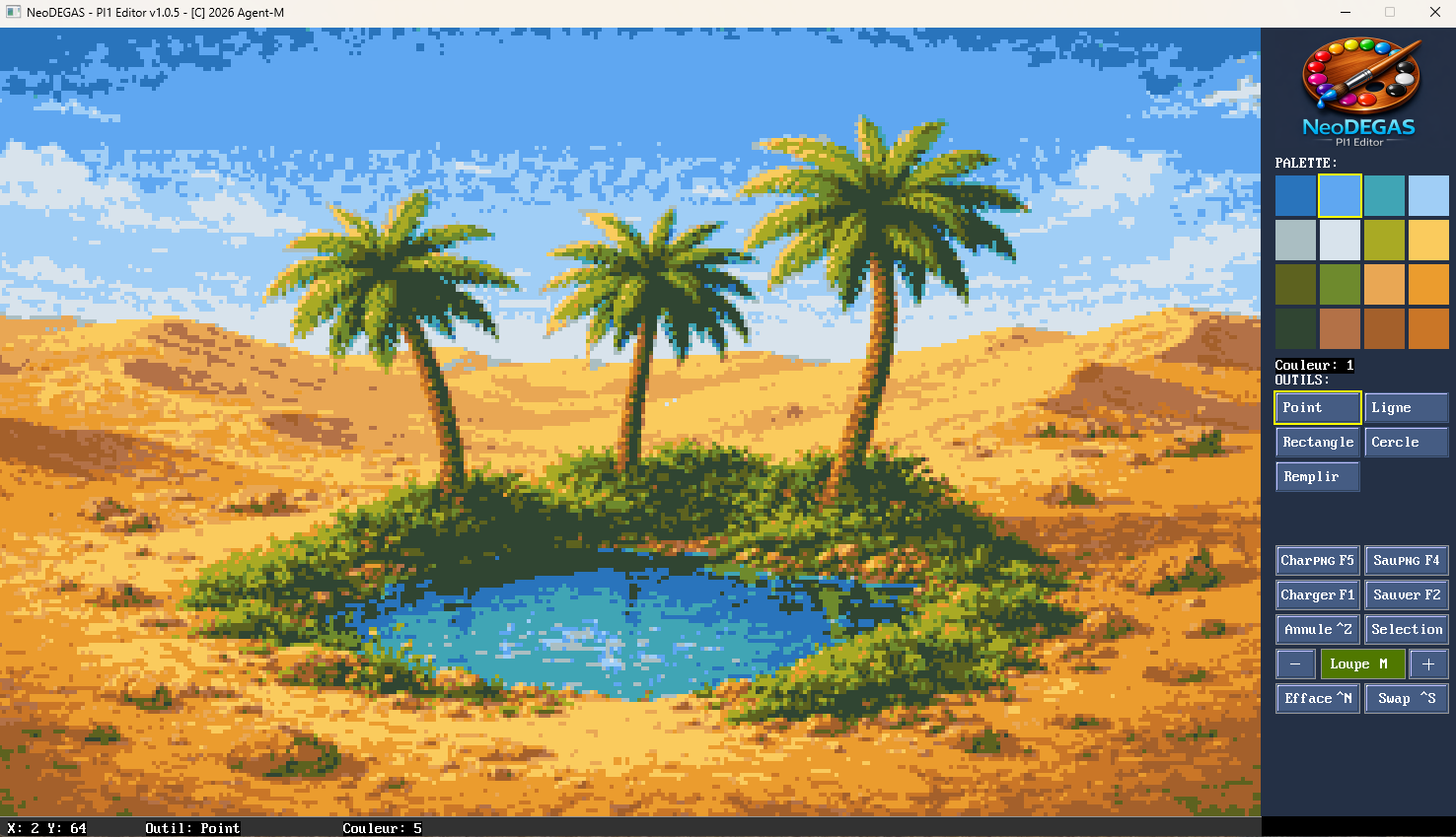
NeoDEGAS - Atari ST PI1 Image Editor
*** Version 1.0.5 - This is just the beginning! More features and improvements coming soon.***
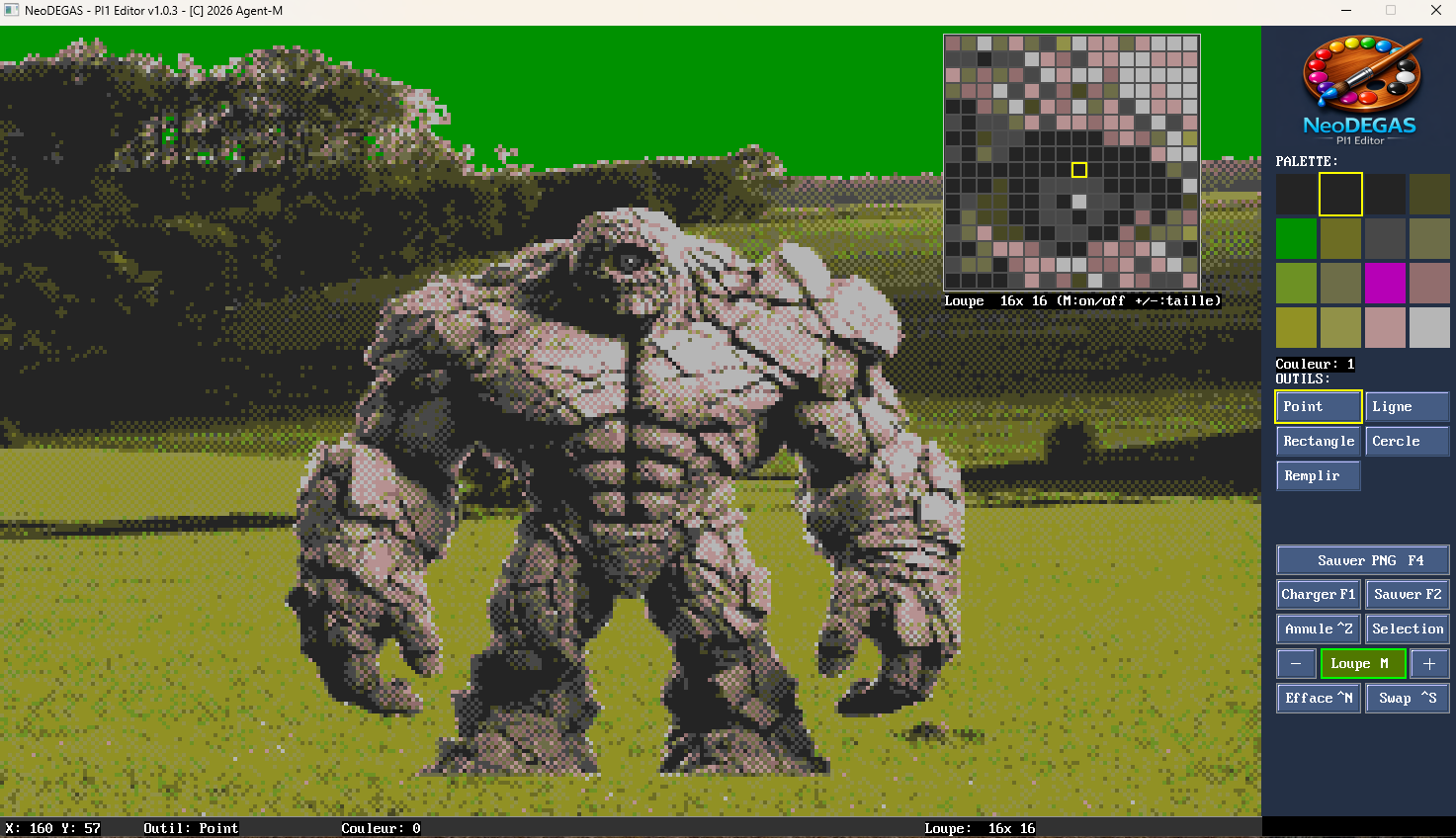
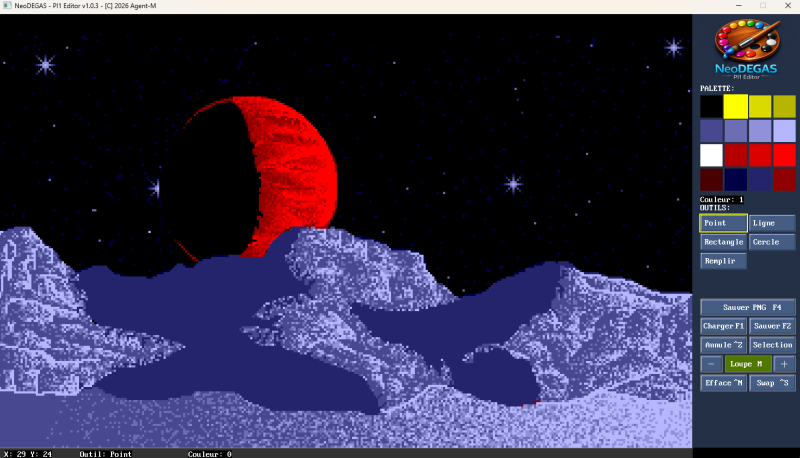
A modern pixel art editor for creating and editing Degas Elite PI1 images, the classic 320×200 16-color format from the Atari ST.
FEATURES:
- Full PI1 format support (load/save .PI1 files)
- Drag & Drop to load .PI1
- Full PNG format support (load/save -and convert-.PNG file)
- Drag & Drop to load .PNG
- 6 drawing tools: Point, Line, Rectangle, Circle, Fill, Selection
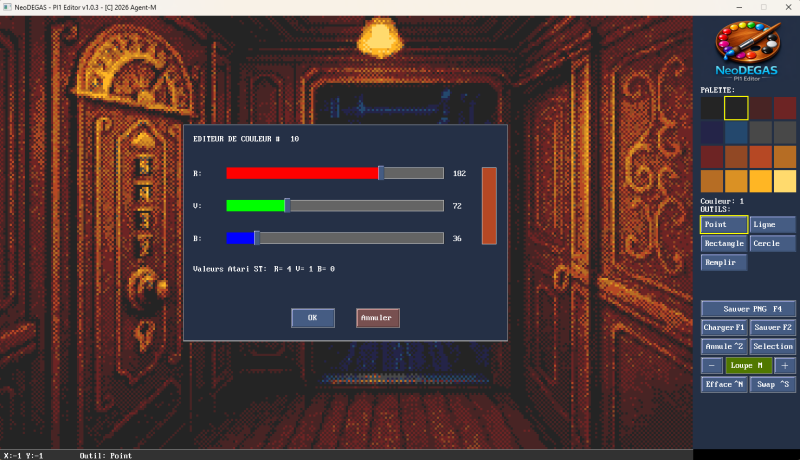
- 16-color palette with live editing (RGB sliders)
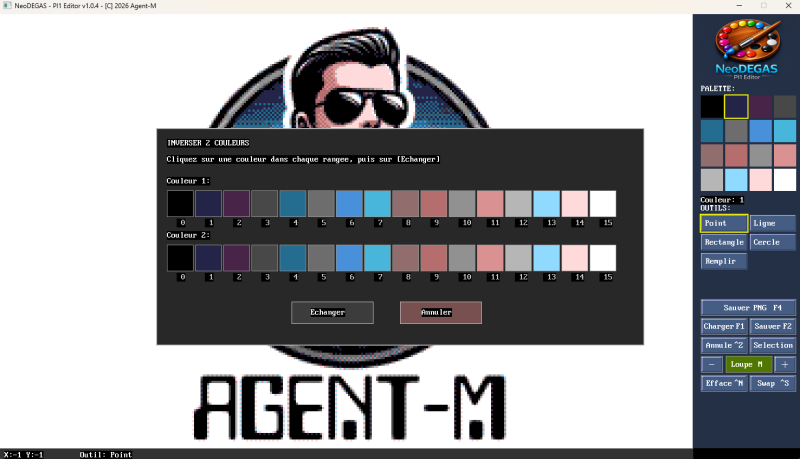
- Color swap function to reorganize your palette
- Copy/paste selections
- Undo system (10 levels)
- Magnifier window (16×16, 32×32, or 64×64)
- Status bar with coordinates and tool info
- Clean, efficient interface
CONTROLS:
- F1/F2: Load/Save PI1
- F3: Edit current color
- F5/F4: Load/Save PNG
- Ctrl+Z: Undo
- Ctrl+C/V: Copy/Paste
- Ctrl+N: Clear screen
- Ctrl+S: Color swap
- M: Toggle magnifier
- +/-: Adjust magnifier size
- Right-click palette: Edit color
- ESC: Exit
Perfect for retro game development, pixel art creation, or nostalgic Atari ST enthusiasts. Export your creations as authentic PI1 files compatible with Atari ST emulators and original hardware.
Coded with QB64PE.
FRANCAIS
NeoDEGAS - Éditeur d'images PI1 Atari ST
Version 1.0.5 - Ce n'est que le commencement ! Plus de fonctionnalités et d'améliorations à venir.
Un éditeur moderne de pixel art pour créer et modifier des images Degas Elite PI1, le format classique 320×200 16 couleurs de l'Atari ST.
FONCTIONNALITÉS :
- Support complet du format PI1 (chargement/sauvegarde .PI1)
- Drag & Drop pour charger les images PI1
- Support complet du format PNG (chargement/sauvegarde -et conversion- .PNG)
- Drag & Drop pour charger les images PNG
- 6 outils de dessin : Point, Ligne, Rectangle, Cercle, Remplissage, Sélection
- Palette 16 couleurs avec édition en direct (curseurs RGB)
- Fonction d'échange de couleurs pour réorganiser la palette
- Copier/coller de sélections
- Système d'annulation -UNDO- (10 niveaux)
- Loupe (16×16, 32×32 ou 64×64)
- Barre d'état avec coordonnées et infos outils
- Interface épurée et efficace
CONTRÔLES :
- F1/F2 : Charger/Sauvegarder PI1
- F3: Editer la couleur sélectionnée
- F5/F4: Charger/Sauvegarder PNG
- Ctrl+Z : Annuler
- Ctrl+C/V : Copier/Coller
- Ctrl+N : Effacer l'écran
- Ctrl+S : Échange de couleurs
- M : Activer/désactiver la loupe
- +/- : Ajuster la taille de la loupe
- Clic droit palette : Éditer la couleur
- ESC : Quitter
Parfait pour le développement de jeux rétro, la création de pixel art, ou les nostalgiques de l'Atari ST. Exportez vos créations en fichiers PI1 authentiques compatibles avec les émulateurs Atari ST et le matériel d'origine.
Programmé en QB64PE.
Download
Click download now to get access to the following files:
Development log
- NeoDEGAS new version 1.0.5Mar 01, 2026
Comments
Log in with itch.io to leave a comment.
Okay, I figured out how to do it, the "load PNGs" will be soon !
v 1.0.4: updating the color definition panel (right clic on color or F3 for current color)
v 1.0.3:
- you can now save pic as .PNG (F4 or "Sauver PNG" button)
- reorganization of the tool panel
- F3 for edit current color
v 1.0.2: add Drag & Drop to load .PI1 files
v 1.0.1: fix PI1 image saving